 DayPilot
Release date: June 10, 2014 (build 7.8.3139)
Real-Time Moving Position Indicator (Scheduler)
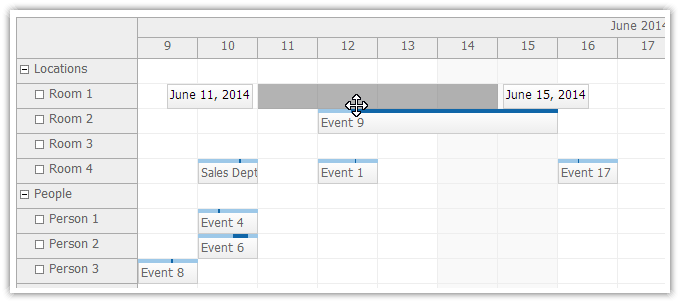
<DayPilot:DayPilotScheduler
  ...
  EventMovingStartEndEnabled = "true"
  ...
/>
Demo
Real-Time Resizing Position Indicator (Scheduler)
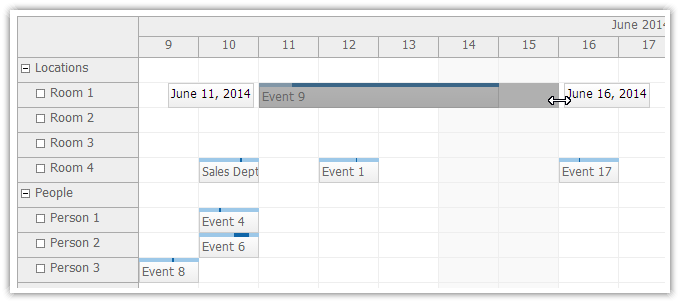
<DayPilot:DayPilotScheduler
  ...
  EventResizingStartEndEnabled = "true"
  ...
/>
Demo
Real-Time Selection Position Indicator (Scheduler)
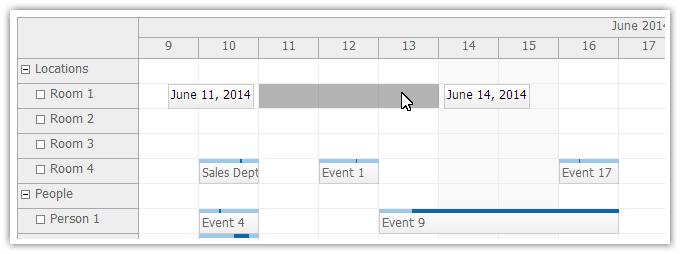
<DayPilot:DayPilotScheduler
  ...
  TimeRangeSelectingStartEndEnabled = "true"
  ...
/>
Demo
Event Deleting (Scheduler)
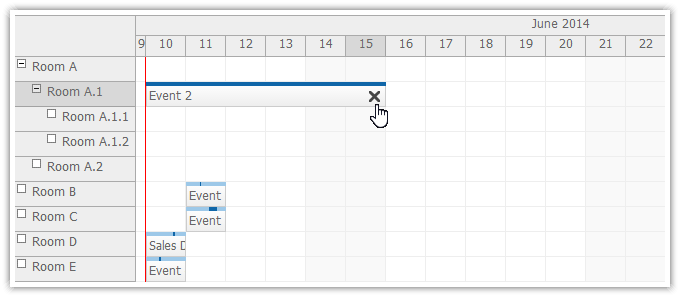
.aspx
<DayPilot:DayPilotScheduler
  ...
  EventDeleteHandling="CallBack"
  OnEventDelete="DayPilotScheduler1_EventDelete"
  ...
  >
.aspx.cs
protected void DayPilotScheduler1_EventDelete(object sender, EventDeleteEventArgs e)
{
  string id = e.Id;

  // delete event (database)
  // ...

  setDataSourceAndBind();
  DayPilotScheduler1.UpdateWithMessage("Event deleted.");
}
Demo
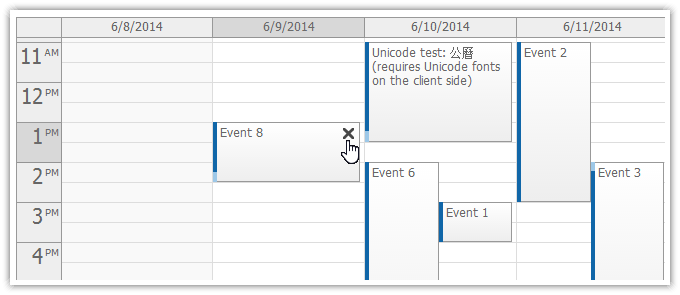
Event Deleting (Event Calendar)
.aspx
<DayPilot:DayPilotCalendar
  ...
  EventDeleteHandling="CallBack"
  OnEventDelete="DayPilotCalendar1_EventDelete"
  ...
/>
aspx.cs
protected void DayPilotCalendar1_EventDelete(object sender, DayPilot.Web.Ui.Events.EventDeleteEventArgs e)
{
  deleteAndBind(e.Value);
}
Demo
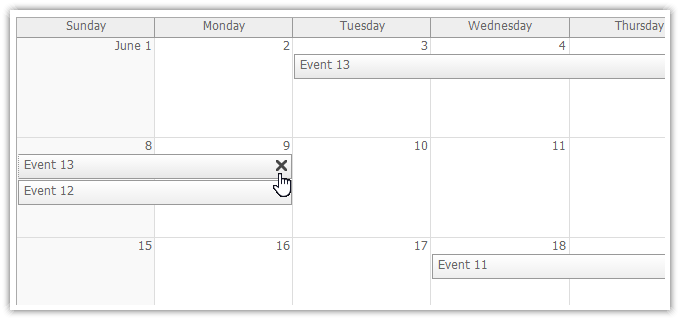
Event Deleting (Monthly Event Calendar)
.aspx
<DayPilot:DayPilotMonth
  ...
  EventDeleteHandling="CallBack"
  OnEventDelete="DayPilotMonth1_EventDelete"
  ...
  />
.aspx.cs
protected void DayPilotMonth1_EventDelete(object sender, EventDeleteEventArgs e)
{
  string id = e.Id;

  // delete event (database)
  // ...

  DayPilotMonth1.DataSource = getData(DayPilotMonth1.VisibleStart, DayPilotMonth1.VisibleEnd);
  DayPilotMonth1.DataBind();
  DayPilotMonth1.UpdateWithMessage("Event deleted.");

}
Demo
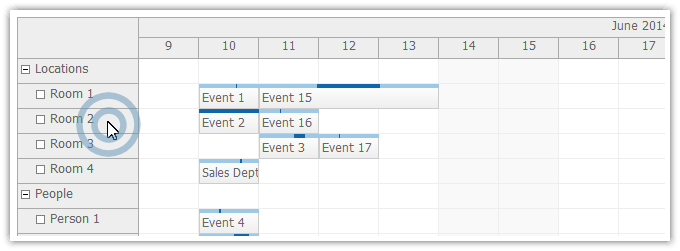
Row Double Click (Scheduler)
<DayPilot:DayPilotScheduler
  ...
  RowDoubleClickHandling="Edit"
  ...
/>
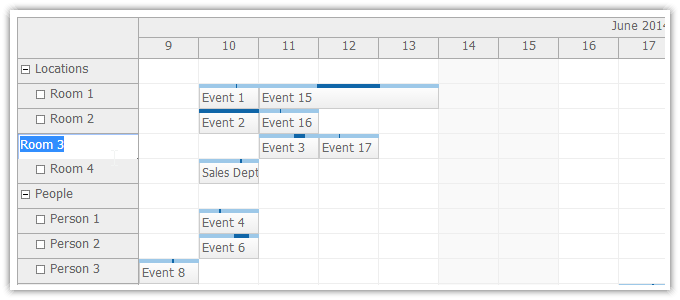
Inline Row Editing (Scheduler)
.aspx
<DayPilot:DayPilotScheduler
  ...
  RowClickHandling="Edit"
  RowEditHandling="CallBack"
  OnRowEdit="DayPilotScheduler1_OnRowEdit"
  ...
  />
.aspx.cs
protected void DayPilotScheduler1_OnRowEdit(object sender, RowEditEventArgs e)
{
  e.Resource.Name = e.NewText;
  setDataSourceAndBind();
  DayPilotScheduler1.UpdateWithMessage("Resource name changed to : " + e.NewText);
}
Demo
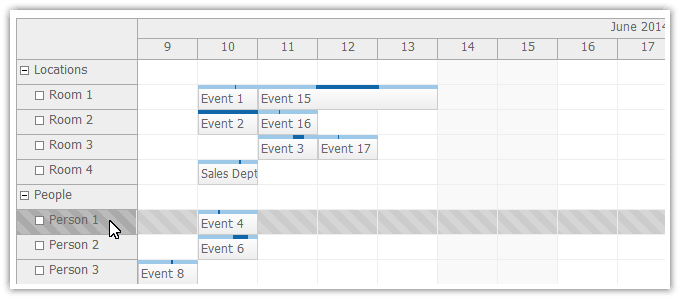
Row Selecting (Scheduler)
.aspx
<DayPilot:DayPilotScheduler
  ...
  RowSelectHandling="CallBack"
  RowClickHandling="Select"
  OnRowSelect="DayPilotScheduler1_OnRowSelect"
  ...
  />
.aspx.cs
protected void DayPilotScheduler1_OnRowSelect(object sender, RowSelectEventArgs e)
{
  DayPilotScheduler1.UpdateWithMessage("Number of selected rows: " + DayPilotScheduler1.SelectedRows.Count);
  DayPilotScheduler1.Update(CallBackUpdateType.None);
}
Demo
Windows 8 Touch Support (Calendar)
DayPilot Calendar now supports Windows 8 touch devices.
Touch Gesture Customization (Calendar)
Tutorial:
Custom Touch Drag Handlers (Calendar)
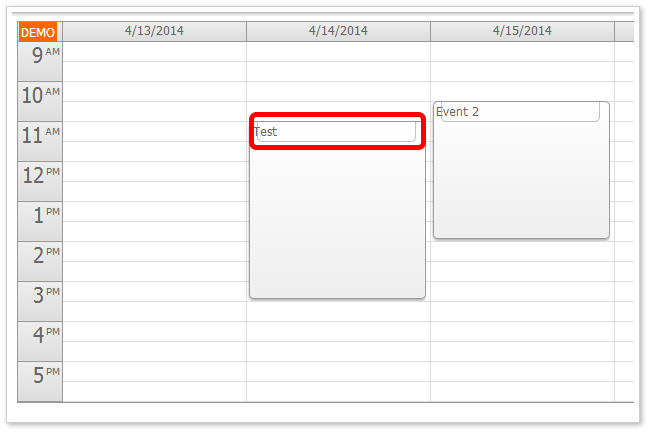
You can add custom touch drag handlers using event active areas.
Example
protected void DayPilotCalendarWeek_OnBeforeEventRender(object sender, BeforeEventRenderEventArgs e)
{
  e.Areas.Add(new Area().Top(0).Left(10).Right(10).Height(20).CssClass("event_action_move").Move().Visibility(AreaVisibility.Visible));
}
Tutorial:
External Drag and Drop on Touch Devices (Calendar)
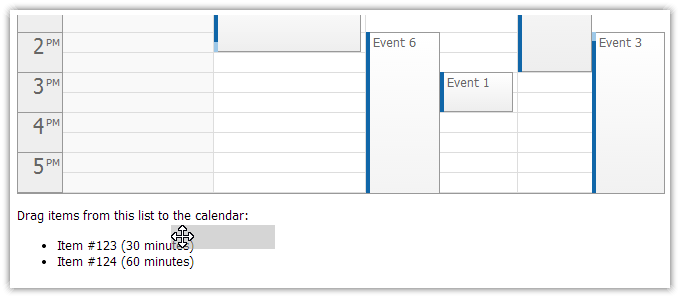
Example:
<p>Drag items from this list to the calendar:</p>
<ul id="external">
  <li data-id="123" data-duration="1800"><span style="cursor:move">Item #123 (30 minutes)</span></li>
  <li data-id="124" data-duration="3600"><span style="cursor:move">Item #124 (60 minutes)</span></li>
</ul>

<script type="text/javascript">
  var parent = document.getElementById("external");
  var items = parent.getElementsByTagName("li");
  for (var i = 0; i < items.length; i++) {
      var e = items[i];
      var item = {
          element: e,
          id: e.getAttribute("data-id"),
          text: e.innerText,
          duration: e.getAttribute("data-duration")
      };
      DayPilot.Calendar.makeDraggable(item);
  }
</script>
Tutorial:
Demo
External Drag and Drop on Touch Devices (Scheduler)
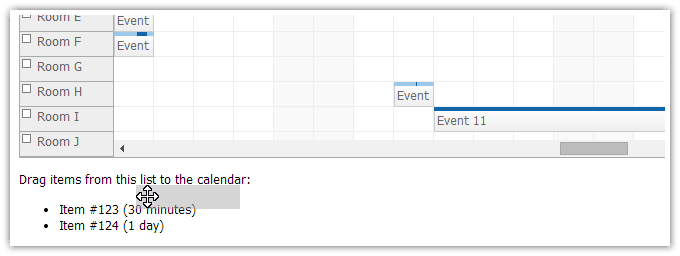
Example
<p>Drag items from this list to the calendar:</p>
<ul id="external">
  <li data-id="123" data-duration="1800"><span style="cursor:move">Item #123 (30 minutes)</span></li>
  <li data-id="124" data-duration="86400"><span style="cursor:move">Item #124 (1 day)</span></li>
</ul>

<script type="text/javascript">
  var parent = document.getElementById("external");
  var items = parent.getElementsByTagName("li");
  for (var i = 0; i < items.length; i++) {
      var e = items[i];
      var item = {
          element: e,
          id: e.getAttribute("data-id"),
          text: e.innerText,
          duration: e.getAttribute("data-duration")
      };
      DayPilot.Scheduler.makeDraggable(item);
  }
</script>
Demo
Improvements
- [Scheduler] Calendar: External drag&drop supported on touch devices - using DayPilot.Calendar.makeDraggable(). Scheduler: External drag&drop supported on touch devices - using DayPilot.Scheduler.makeDraggable(). Calendar: Event active areas with Move() action w... (build 3090)
- [Calendar] Calendar: External drag&drop supported on touch devices - using DayPilot.Calendar.makeDraggable(). Scheduler: External drag&drop supported on touch devices - using DayPilot.Scheduler.makeDraggable(). Calendar: Event active areas with Move() action w... (build 3090)
- [Calendar] Calendar: TimeRangeTapAndHoldHandling property added. (build 3095)
- [Demo] Scheduler: External drag and drop demo supports mobile touch devices. (build 3098)
- [Scheduler] Scheduler: External drag and drop demo supports mobile touch devices. (build 3098)
- [Calendar] Calendar: External drag and drop example switched to DayPilot.Calendar.makeDraggable(). (build 3100)
- [Scheduler] Scheduler: TreeAutoExpand property added (default value is true). (build 3100)
- [Calendar] Calendar: Windows 8 touch support. (build 3101)
- [Calendar] Calendar: Windows 8 touch support complete (external drag and drop, event active area drag handler). (build 3102)
- [Scheduler] Scheduler: Clearing the drawArea cache after callback. (build 3105)
- [Scheduler] Scheduler: Pre-generated resource columns in BeforeResHeaderRender during image export. (build 3106)
- [Scheduler] Scheduler: MinHeight and MarginBottom added to BeforeResHeaderRender. (build 3110)
- Active areas: Visible()/Hover() replaces Visibility(). Bubble() added as another action type (activates event bubble on hover). (build 3114)
- [Scheduler] Scheduler: Row selecting, row editing. (build 3116)
- [Scheduler] Scheduler: Resource active areas hold a correct source object. Areas: HoverMenu() action supported. (build 3117)
- [Calendar] Event deleting using a context menu in Calendar/RecurrentEvents.aspx example. (build 3120)
- [Calendar] Calendar: Event deleting supported in CssOnly mode. (build 3121)
- [Scheduler] Scheduler: ImageUrl supported in Resource.Column[]. (build 3126)
- [Scheduler] Scheduler.LoadStylesDefaultTheme() added. (build 3127)
- [Scheduler] Scheduler: DurationBarBackColor added. (build 3127)
- [Scheduler] Scheduler: DataItem accessible in BeforeResHeaderRender during image export. (build 3128)
- [Calendar] Calendar: Custom column width in ViewType="Resources" and ColumnWidthSpec="Fixed". Use Column.Width (px). (build 3133)
Fixes
- [Calendar] Calendar: Default event ToolTip fixed. (build 3104)
- [Calendar] Calendar: Resizing using event end fixed in overnight shift setup (DayBeginsHour > DayEndsHour). (build 3111)
- [Scheduler] Scheduler: HeaderColumns export fixed. Default tree node icons used during export if no custom image is specified. (build 3112)
- [Scheduler] Scheduler: external drag over resource and time header fixed. (build 3123)
- [Scheduler] Scheduler: Export percentage width fixed (multiple columns). (build 3131)
- [Month] Month: Preventing the default context menu on cell right click (fixed). (build 3135)
API Changes
- EventDeleteEventArgs class moved from DayPilot.Web.Ui.Events to DayPilot.Web.Ui.Events.Calendar namespace.